iOS 17 Creative Dual Camera
LaiLens — Creative Dual Camera for iPhone
Create More with Both Cameras
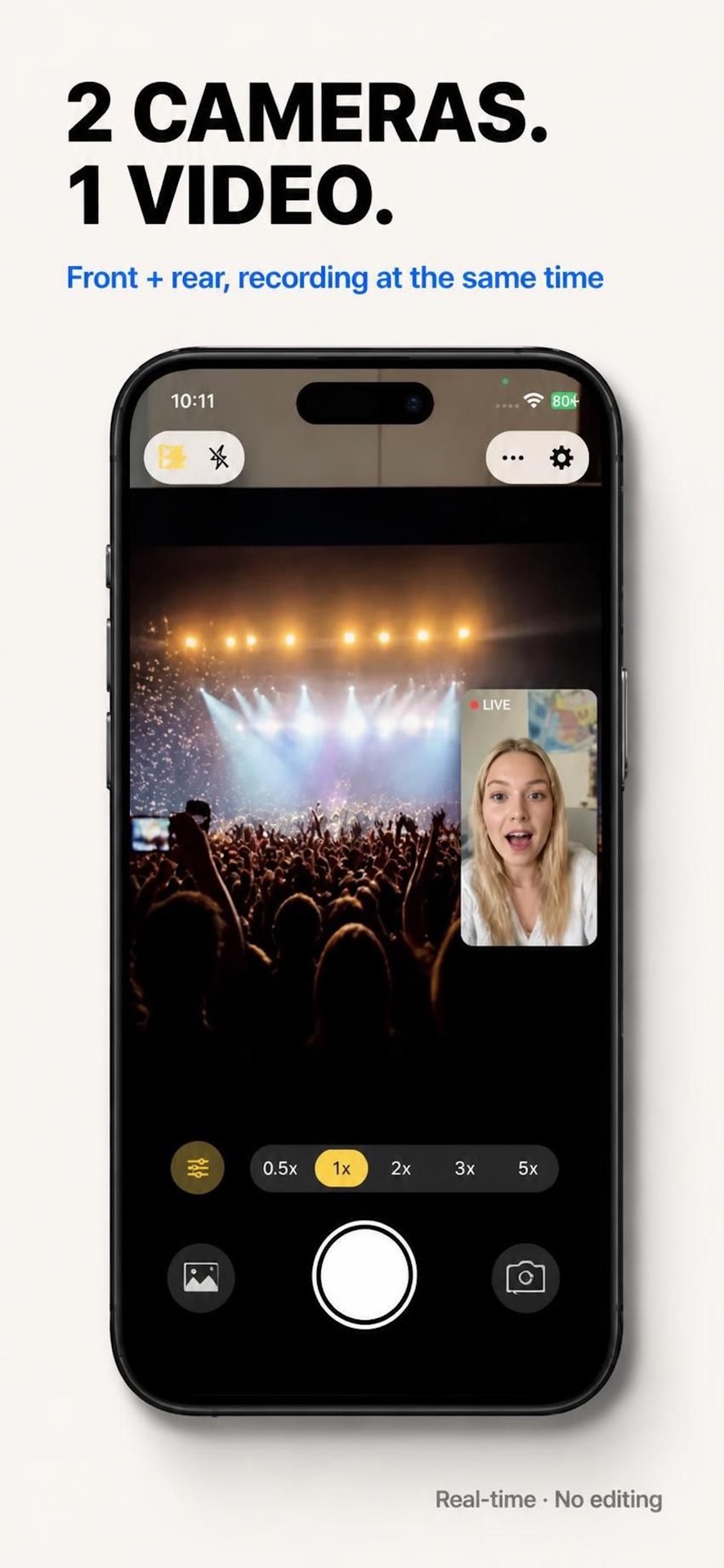
LaiLens is the premiere iOS front and back camera app for creative video recording. With LaiLens dual camera iOS support, creators can shoot iPhone dual camera simultaneous photo video in one single synchronized take. Capture yourself and the world in front of you at the same time with picture-in-picture, split-screen layouts, floating selfie windows, and multi-view recording.
Creative Capabilities
What Can You Create with LaiLens?
Six creative pillars designed to make iPhone dual-camera recording expressive, effortless, and private.
1. Record with Both Front and Rear Cameras
Capture yourself and the world in front of you at the exact same moment. Ideal for travel vlogs, spontaneous reaction videos, unboxings, tutorials, and everyday family moments without recording twice.
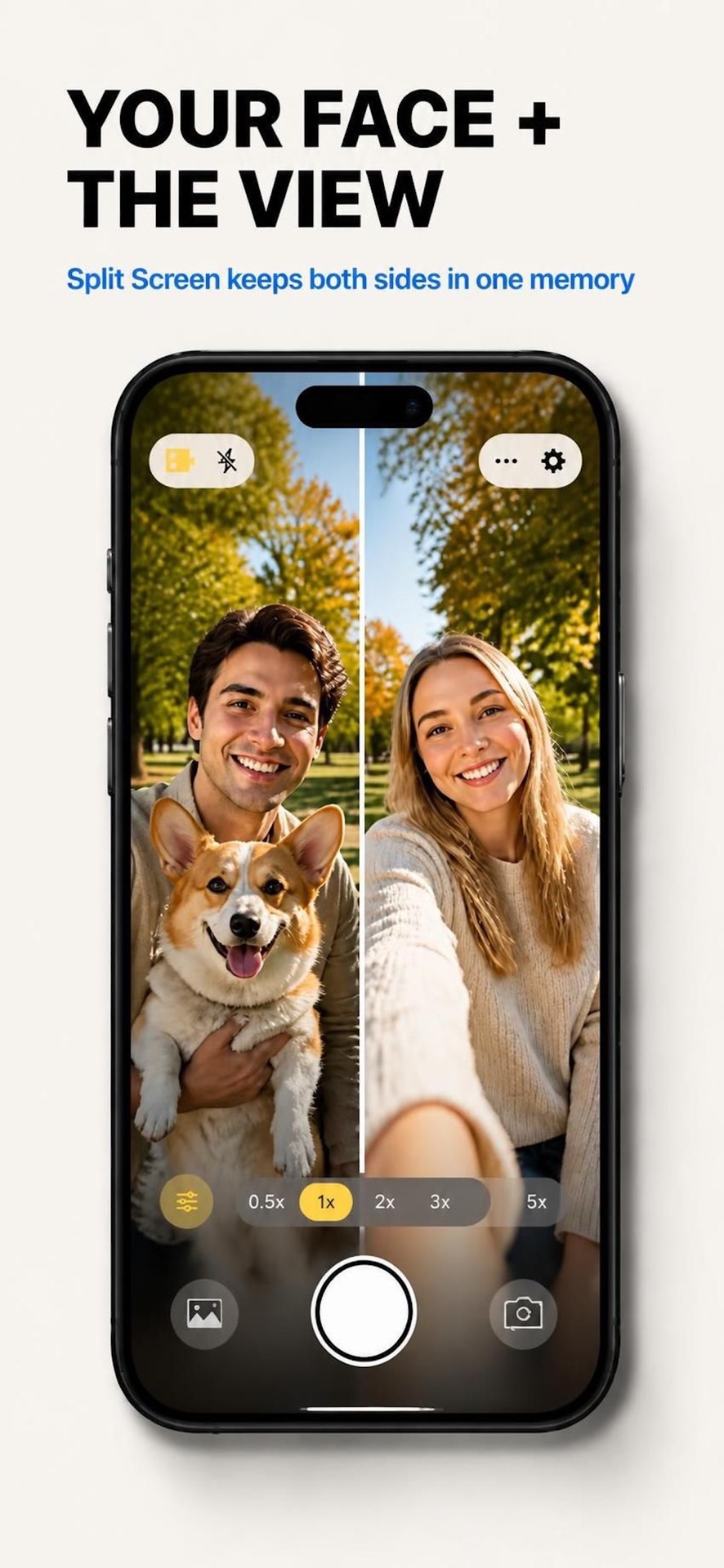
2. Create Your Own Dual-Camera Layout
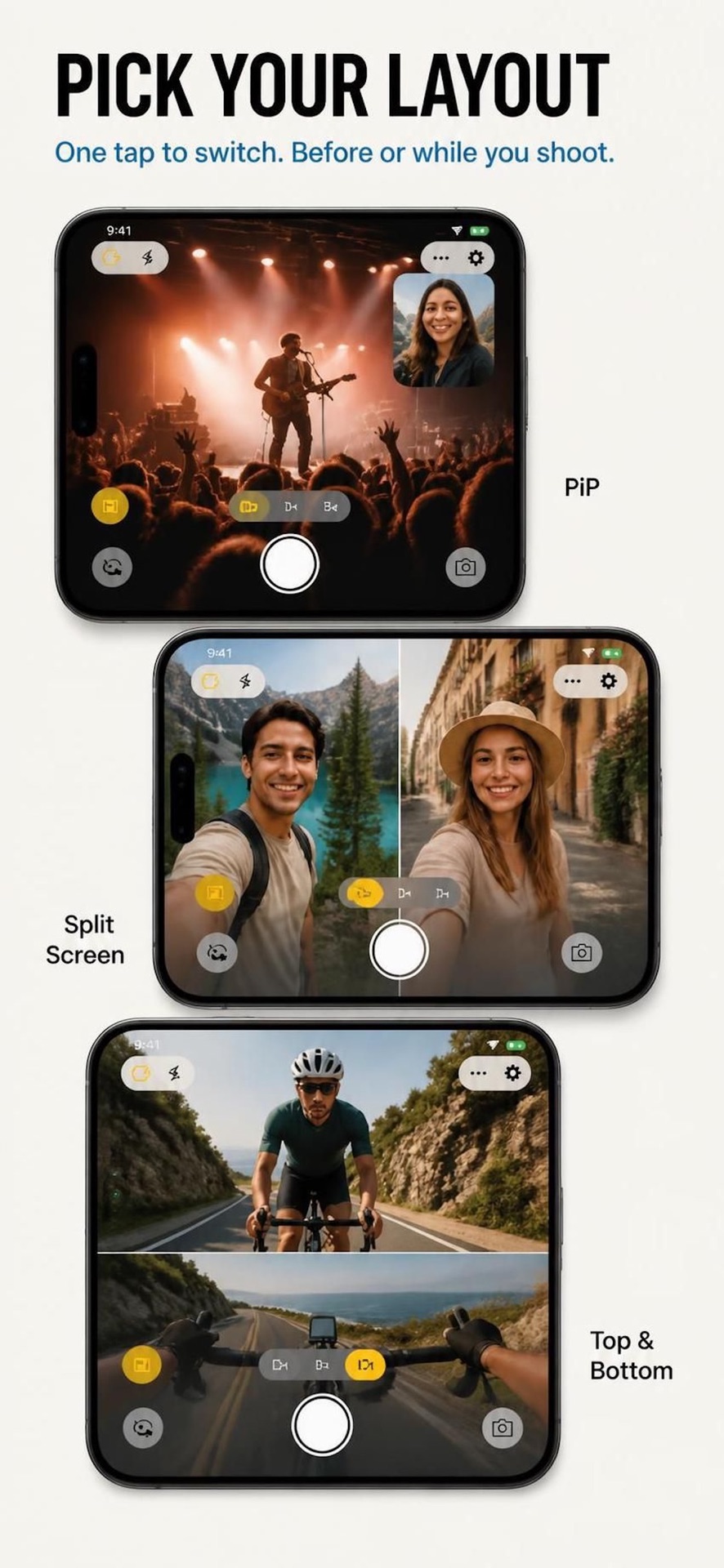
Choose between 50/50 vertical split-screen, floating picture-in-picture (PiP) reaction windows, and stacked horizontal framing. Switch lenses on the fly with custom aspect ratios (9:16, 16:9, 1:1).
3. Capture Multiple Views
Compose multiple perspectives into a single synchronized take. Combine ultra-wide environmental shots with detailed front camera commentary in zero-delay hardware sync.
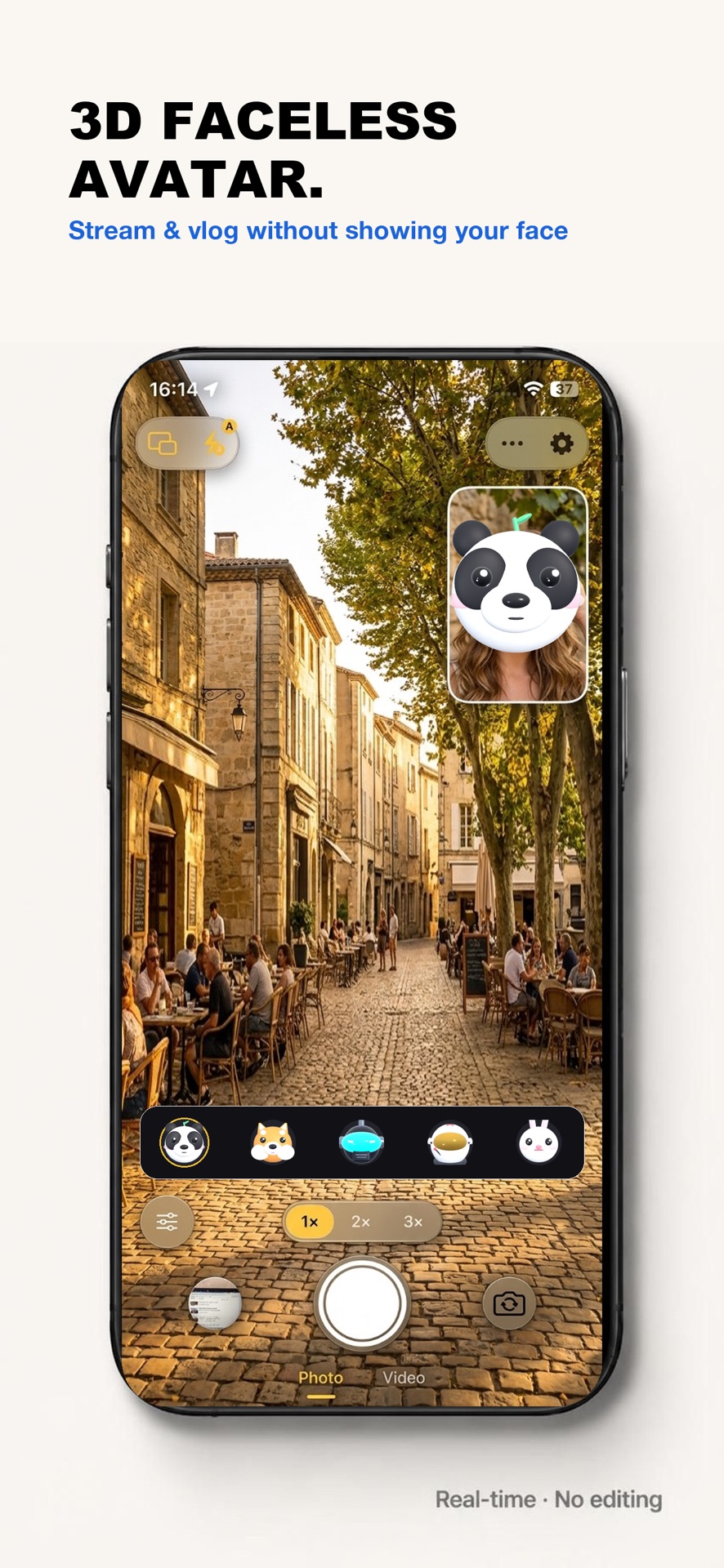
4. Try 3D Cartoon Face Effects
Bring playful storytelling to your videos with 3D tracked avatars and dynamic cartoon headwear powered by Apple TrueDepth face tracking. Expressions mirror your movements in real time.
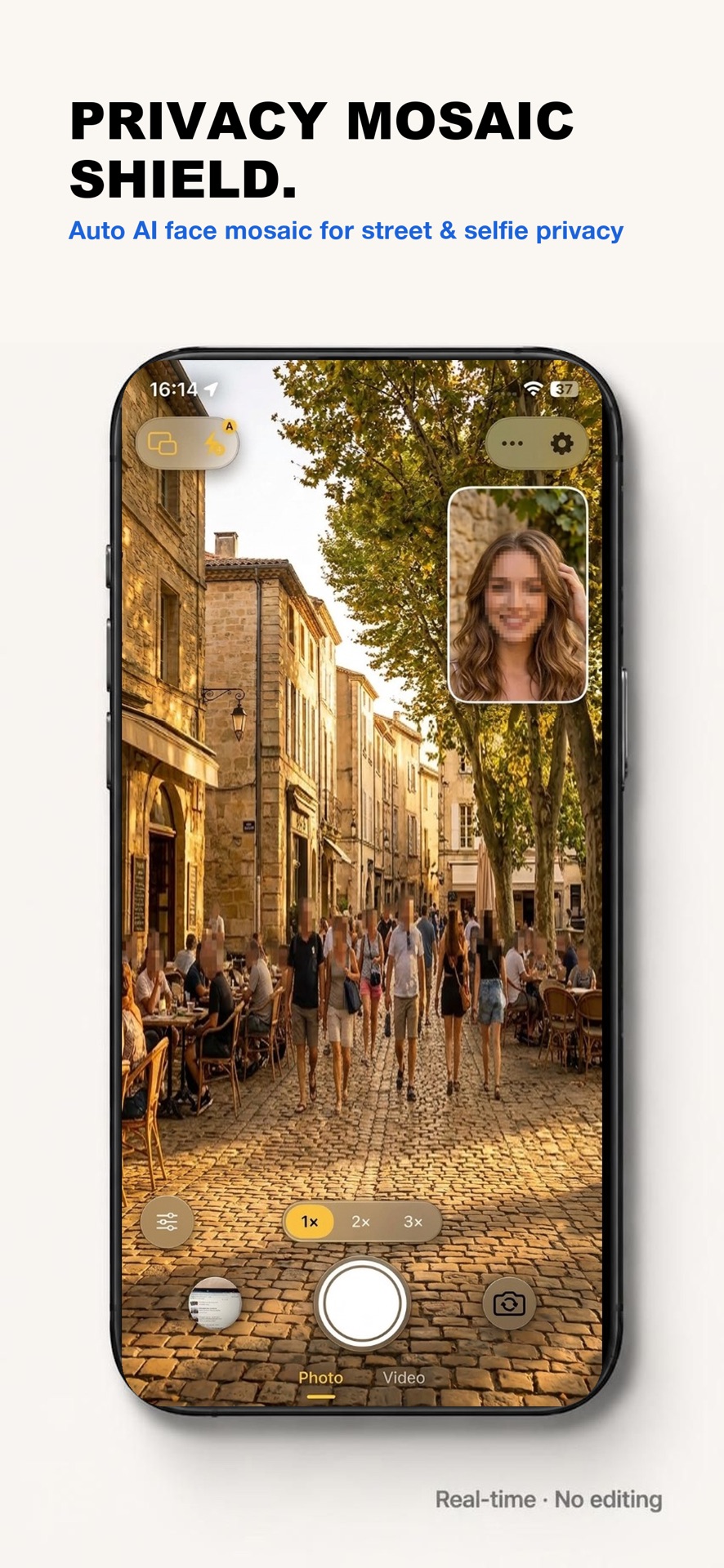
5. Protect Privacy While Recording
Safeguard bystanders and personal identities with real-time on-device privacy mosaic blurring. Protect faces while filming in public streets, airports, or schools without post-production blur filters.
6. Enhance Your Selfie Videos
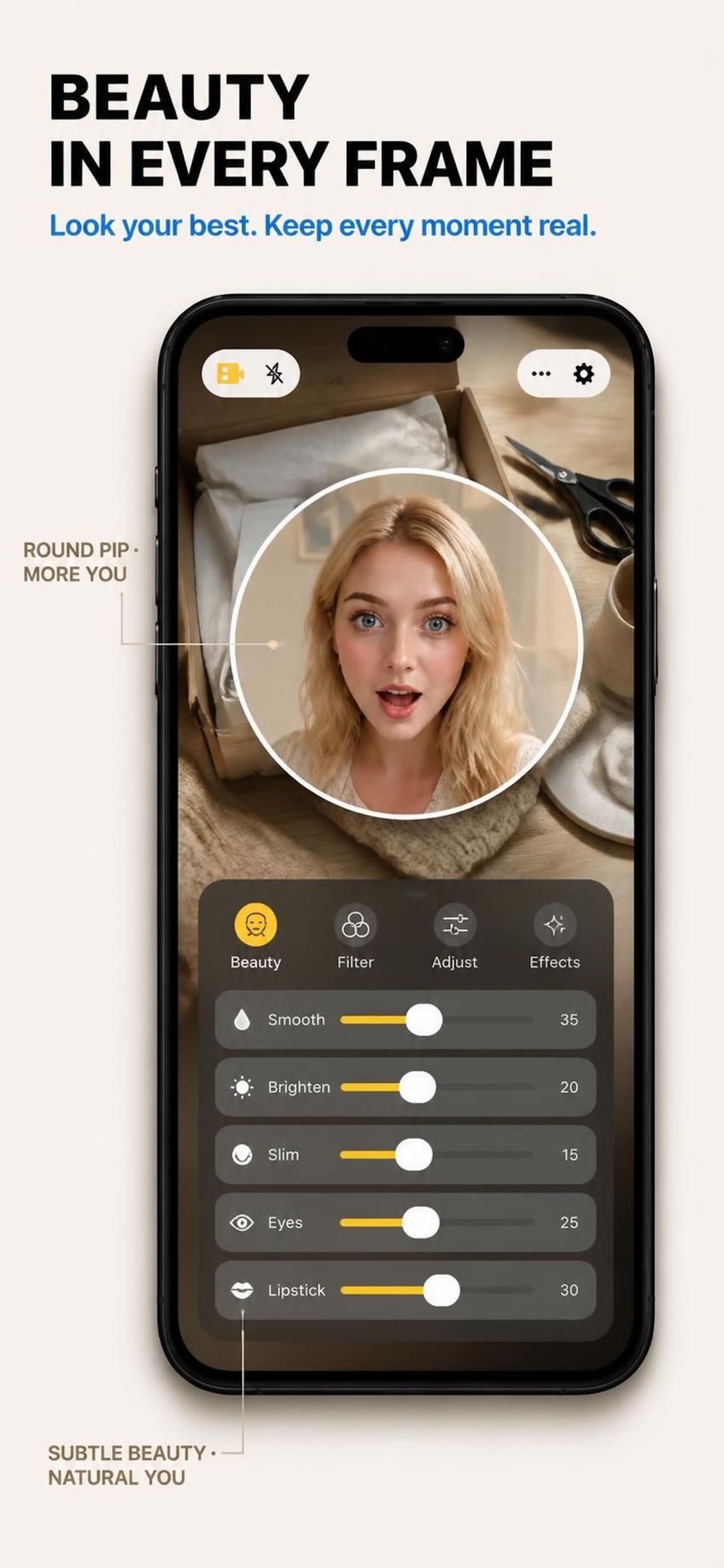
Fine-tune front-facing camera beauty adjustments with natural skin smoothing, tone balancing, and ambient lighting optimization, ensuring you look your best in every dual-camera recording.
Verified App Store Assets
Official Product Screenshots
Authentic captures of LaiLens running simultaneous dual-camera video recording on iOS 17.
Audience & Workflows
Who Is LaiLens For?
Built for creators who value authentic storytelling and zero editing friction.
Travel Vloggers
Film breathtaking sights in front of you while capturing your natural reaction on the selfie lens at the same time.
Reaction & Review Creators
Review tech gadgets, unbox products, or react to live events with zero audio-video lip-sync lag.
Tutorial & Demonstration Makers
Demonstrate cooking, crafts, or coding on the rear camera while explaining instructions on the front lens.
Creative Storytellers
Use 3D cartoon avatars and expressive character overlays to craft engaging short-form TikTok and Reels content.
Privacy-Conscious Vloggers
Protect strangers and bystanders in public spaces with real-time privacy mosaic face blurring right as you record.
Everyday iPhone Users
Capture birthdays, concerts, and family gatherings where you want to be part of the memory instead of hidden behind the lens.
Technical Specifications
Hardware Requirements & Transparent Pricing
Verified compatibility constraints and honest pricing structure.
Device & OS Compatibility
Requires iOS 17.0 or later and an iPhone powered by the Apple A12 Bionic chip or newer:
- iPhone 16, 16 Plus, 16 Pro, 16 Pro Max
- iPhone 15, 15 Plus, 15 Pro, 15 Pro Max
- iPhone 14, 13, 12, 11 series
- iPhone XS, XS Max, XR
Note: Older devices (iPhone X, 8, 7) lack Apple's multi-camera memory bus hardware required for simultaneous capture.
Pricing & 100% On-Device Privacy
Setting the highest standard for iOS dual camera app privacy, LaiLens is free to download on the Apple App Store with essential watermark-free dual camera recording included.
- Free Essential Recording: Front & back simultaneous capture with zero watermark on exports.
- Optional Pro Upgrades: Flexible weekly, annual, or one-time lifetime purchases for 3D face effects and studio layouts.
- 100% On-Device Privacy: Videos are saved directly into your Photos app. Zero cloud servers, zero ads, zero user tracking.
Help & Clarity
Frequently Asked Questions
Clear answers to the most common questions about LaiLens and iPhone dual-camera recording.
1. Can iPhone record front and back camera at the same time?
Apple's built-in Camera app does not support recording front and rear cameras simultaneously. However, LaiLens uses Apple's official AVMultiCamSession framework to record both lenses at the same time on supported iPhones.
2. What is LaiLens used for?
LaiLens is designed for travel vlogging, reaction videos, unboxings, tutorials, interviews, and everyday moments where capturing both your perspective and facial expression in one take saves hours of editing.
3. Is LaiLens free or paid?
LaiLens is free to download on the Apple App Store with essential watermark-free dual-camera recording. Optional Pro upgrades are available through weekly, annual, or lifetime in-app purchases for advanced 3D face effects, custom layouts, and studio controls.
4. Which iPhones support dual camera recording?
Dual camera recording requires iOS 17.0 or later and an iPhone equipped with an Apple A12 Bionic chip or newer (iPhone XS, XR, 11, 12, 13, 14, 15, and 16/17 series). Earlier iPhones lack the required hardware ISP bandwidth.
5. Does LaiLens collect or upload my videos?
No. LaiLens operates 100% locally on your iPhone. Video rendering and compositing happen completely on-device, and recordings are saved directly to your Photos library. Zero cloud uploads, zero ads, zero tracking.
Ready to Record Both Sides?
Download LaiLens from the App Store and start creating synchronized dual-camera videos today.
Download on the App StoreOfficial App Store ID: 6791878094 · iOS 17.0+